LeafLink
Most people kill their houseplants — not from neglect, but from picking the wrong plant for the room. As UX lead on a five-person “Technologies for HCI” team, I helped build LeafLink: a sensor device and app that read a room's light, humidity, temperature, and air quality, then recommend plants that'll actually thrive there. After a four-week sprint, 85% of the people we demoed it to felt more confident choosing and caring for plants.
Demo-day responses from end-of-semester panellists and visitors — encouraging signal, not a controlled study.
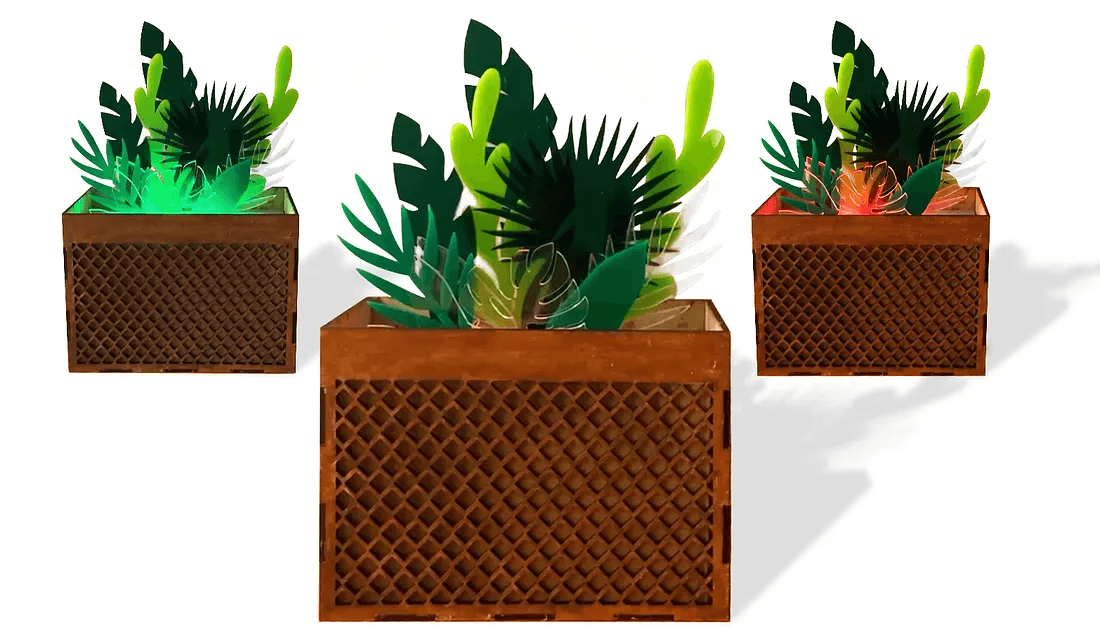
A device that reads the room
LeafLink pairs a smart sensor device with an app to help people choose houseplants that suit their space. It was the project I led for my “Technologies for HCI” course at Newcastle University, guiding a team of five from concept through to a working prototype.
As UX lead I owned the experience mapping and turned our findings into design decisions, ran an iterative loop across both the digital and physical prototypes, shaped the overall form of the device alongside teammates on electronics and aesthetics, and kept the plan on track with clear ownership. The thread throughout: keep it user-centred while wrangling real hardware constraints.
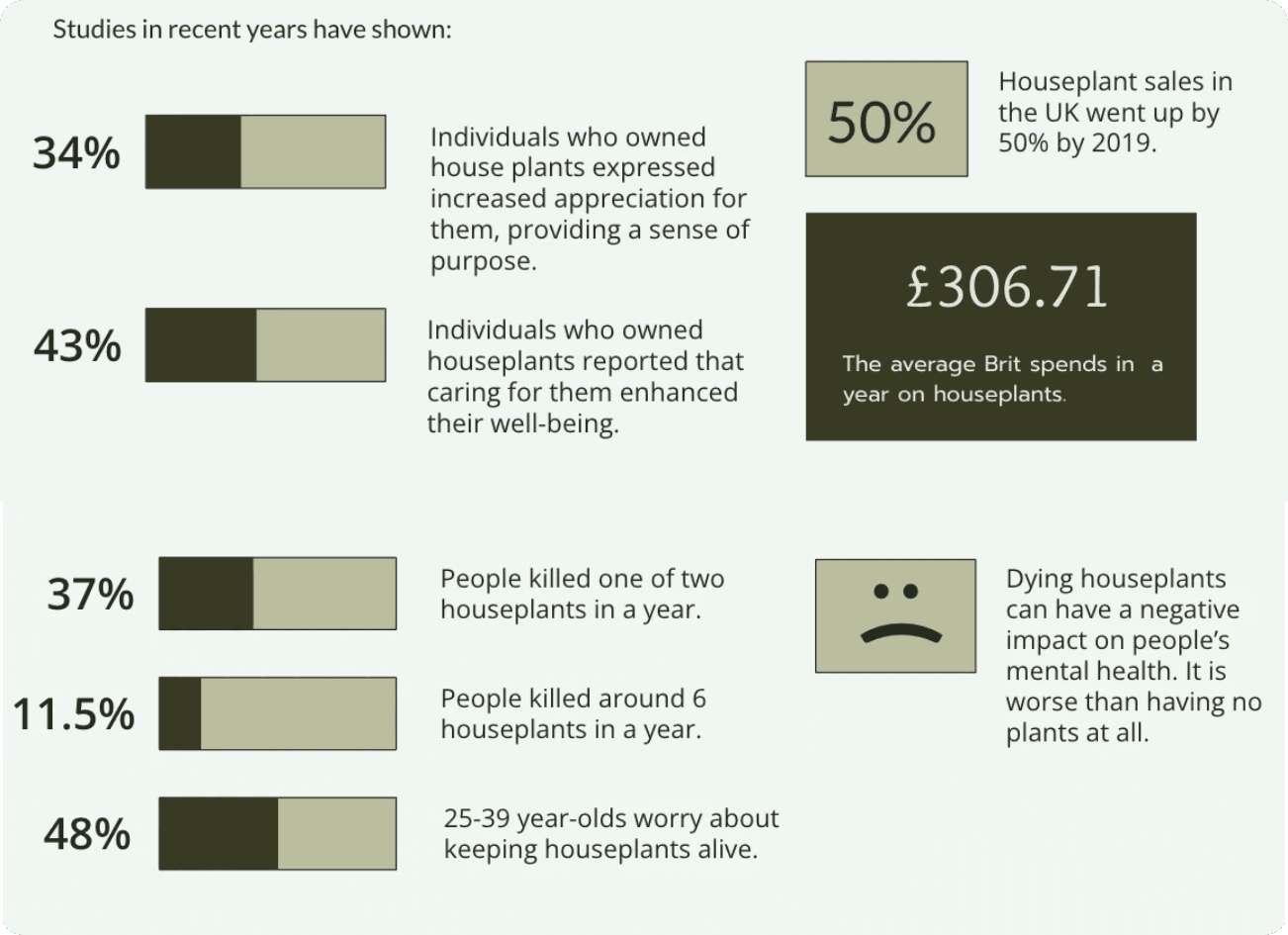
Why people keep killing their plants
People struggle to choose and keep houseplants alive — and failure is discouraging. The root issue is a lack of accessible, personalised information about what a plant needs and whether it fits a particular indoor environment.
Design a social and technical intervention that helps users meaningfully and responsibly collect data from other people and/or their local environment, for the purpose of living well together.
Not knowing what a plant needs
No way to read the room
Too many plants to choose from
What we set out to do
- Build an intuitive solution to the houseplant-selection problem.
- Use data and digital tools to give useful insights and recommendations.
- Encourage healthier living spaces through informed selection and care.
- Turn complex information into clear, actionable recommendations.
- Grow users' understanding of their indoor environment and its effect on plant — and personal — health.
Five people, four weeks
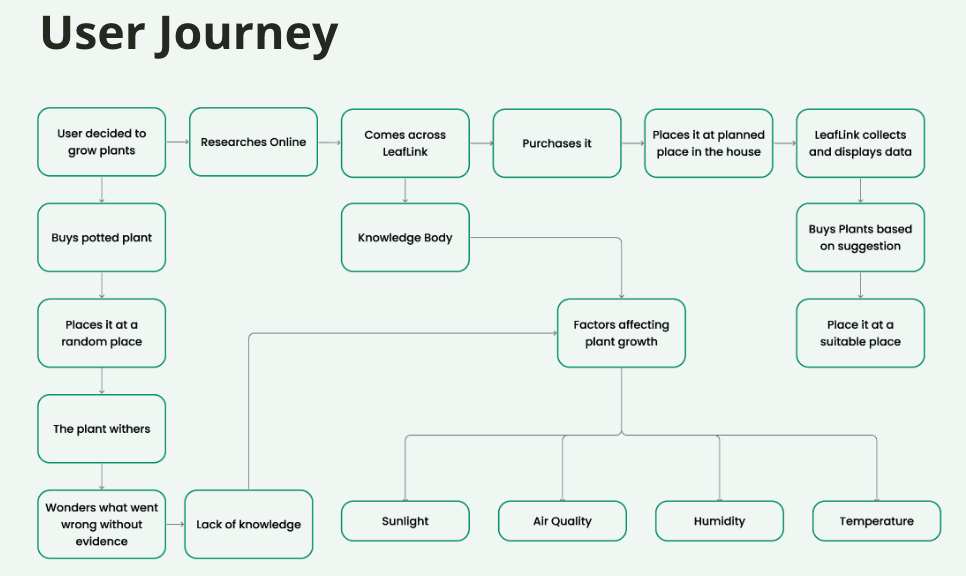
With a small team and a tight timeline, we ran a clear, sequential method to get from a blank page to a working build.
- Propose. The team brainstormed a range of solutions to houseplant-care challenges.
- Vote. We converged on the most promising concept together.
- Explore. Investigated the required technology and feasibility, and built initial prototypes.
- Allocate. Split the work by expertise — hardware, software, and UI design — so everyone owned a clear piece.
Learning from plants and products
Literature review
We started with a literature review across academic papers and online sources on indoor plant care, environmental sensing, and smart-home technology. It grounded us in the science of plant growth and where technology could realistically help.
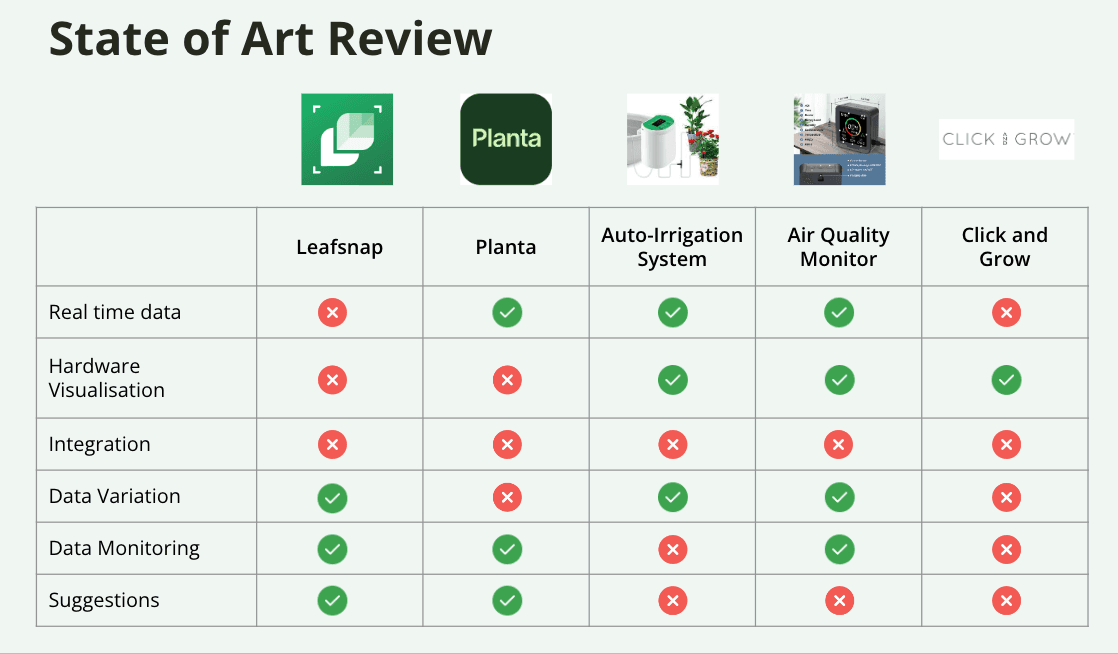
Competitive analysis
We then examined existing plant-care apps, smart planters, and environmental monitors — their features, interfaces, and user feedback. That surfaced clear gaps: personalised recommendations, friendlier ways to present environmental data, and integrated care guidance.
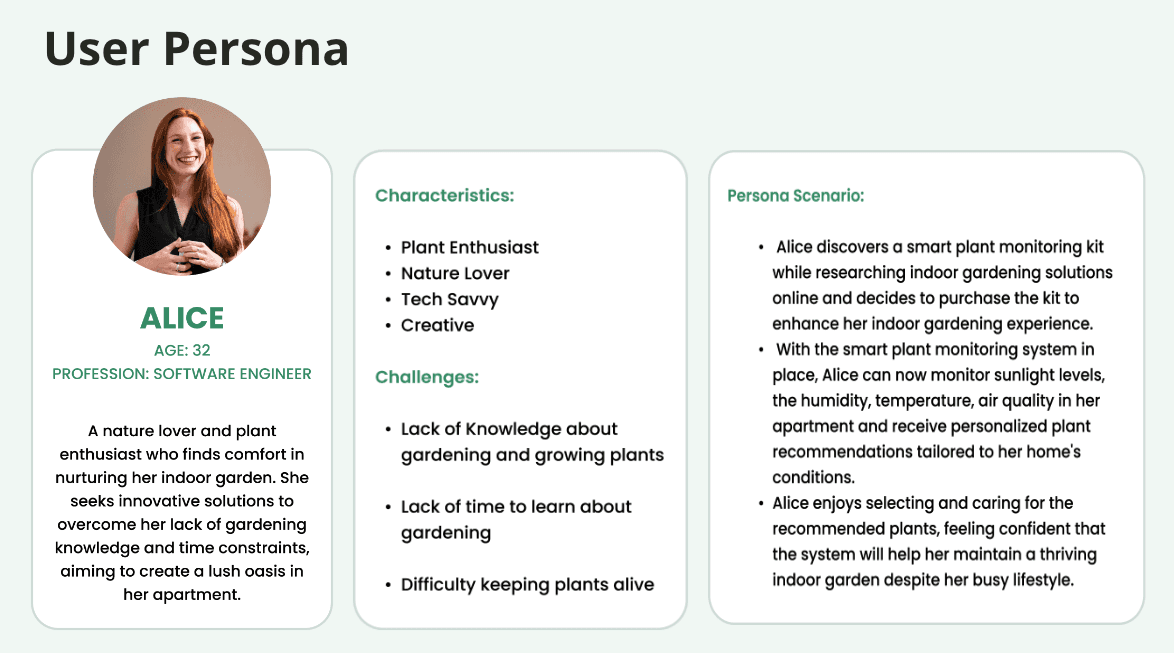
Narrowing to wellbeing at home
In the Define phase we focused the project on improving health and wellbeing at home through plants, and sharpened the problem into a single guiding question.
Sensors, app, and a plant that lives
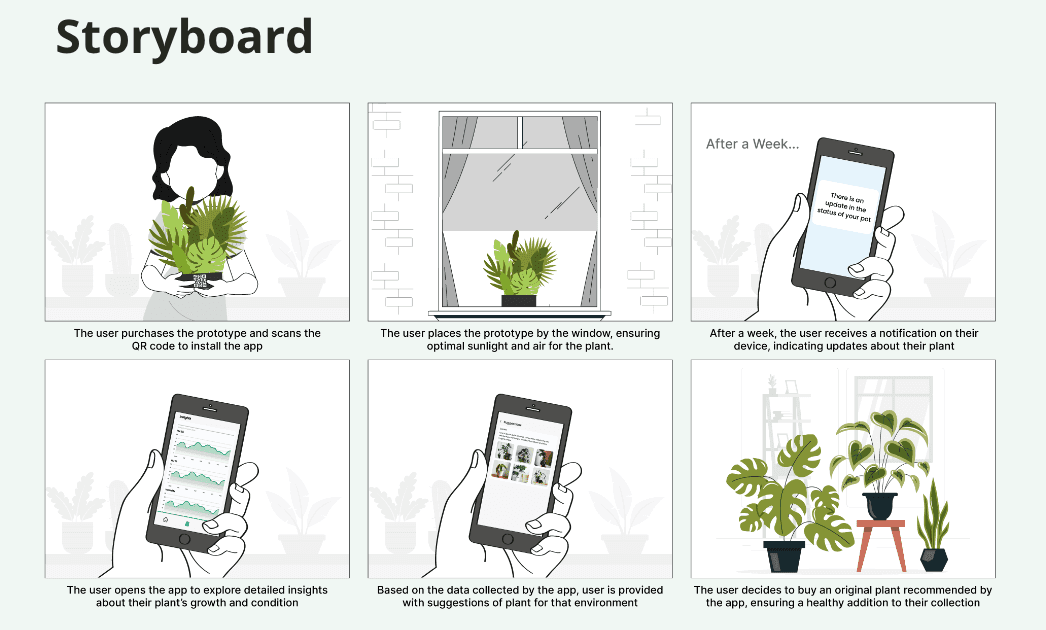
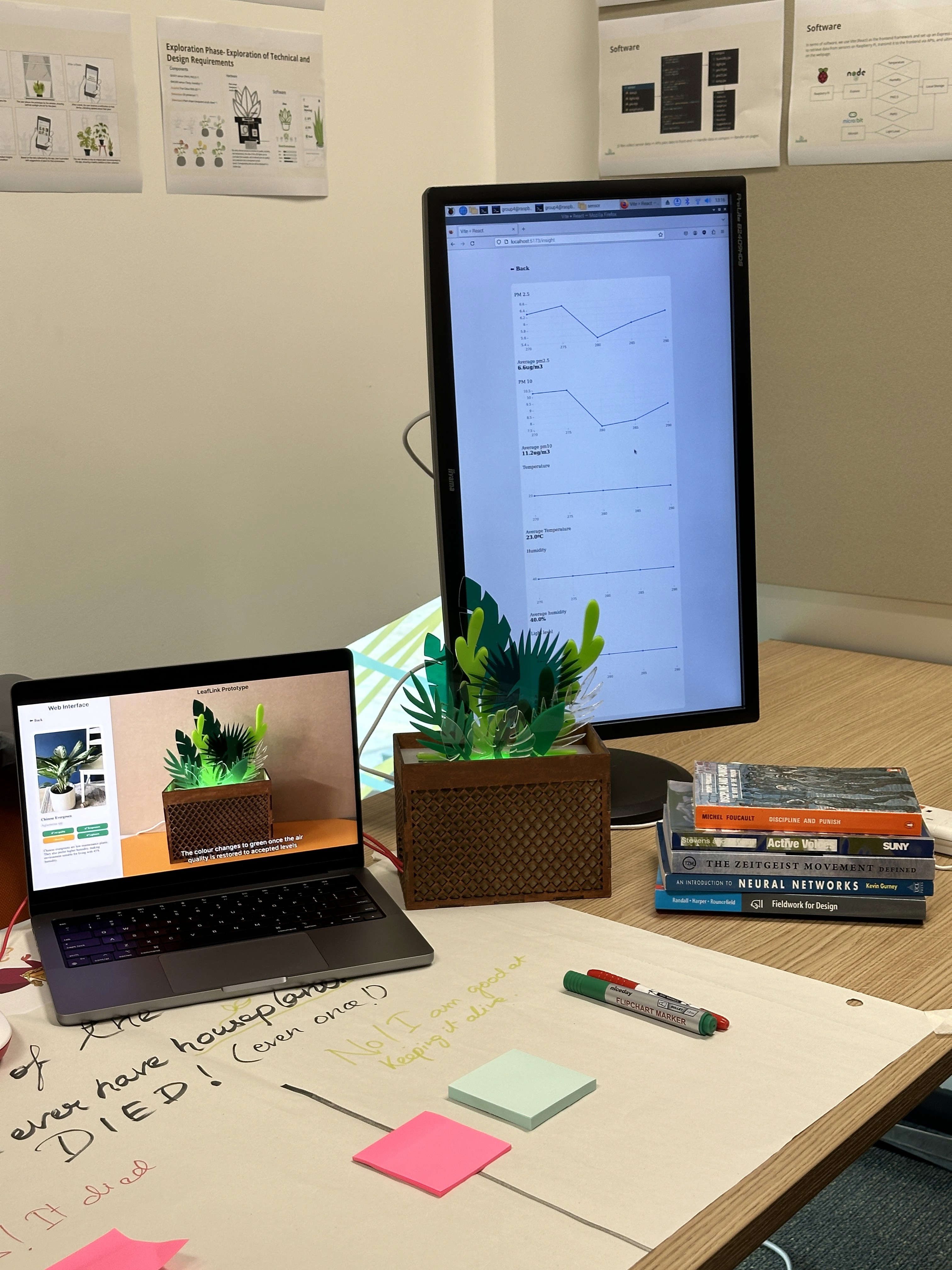
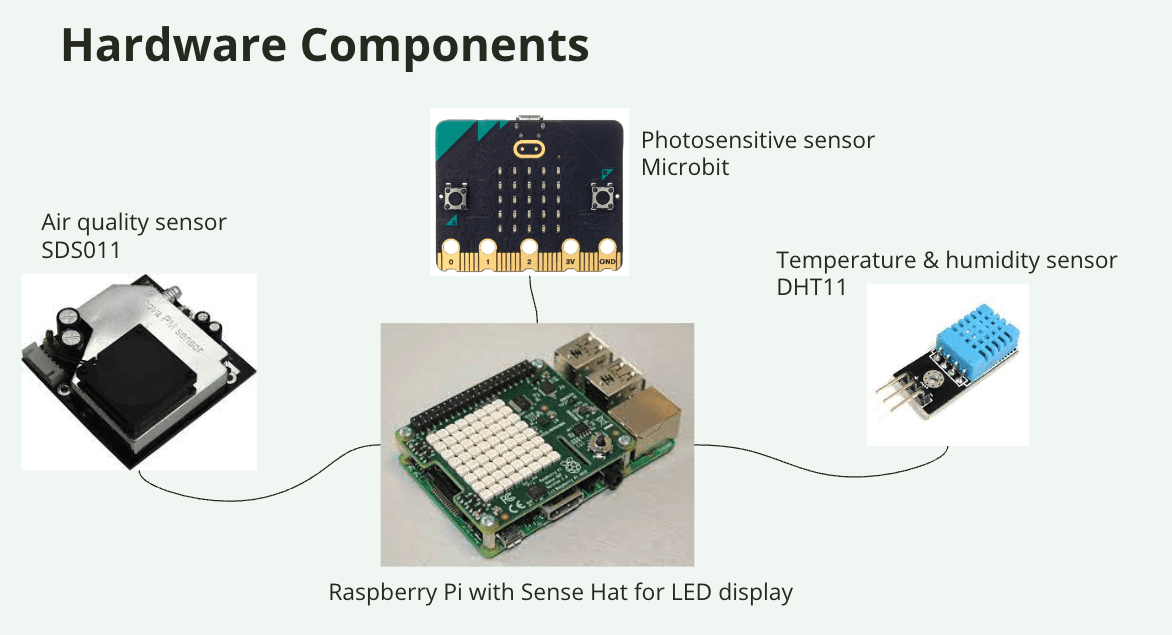
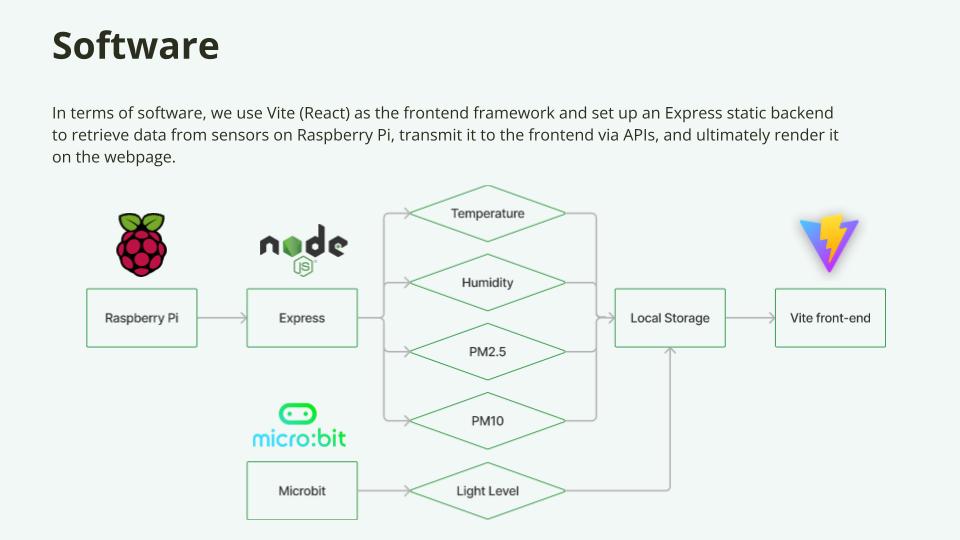
LeafLink came together as three connected pieces: a sensing device, a clear app, and the pipeline that links them.
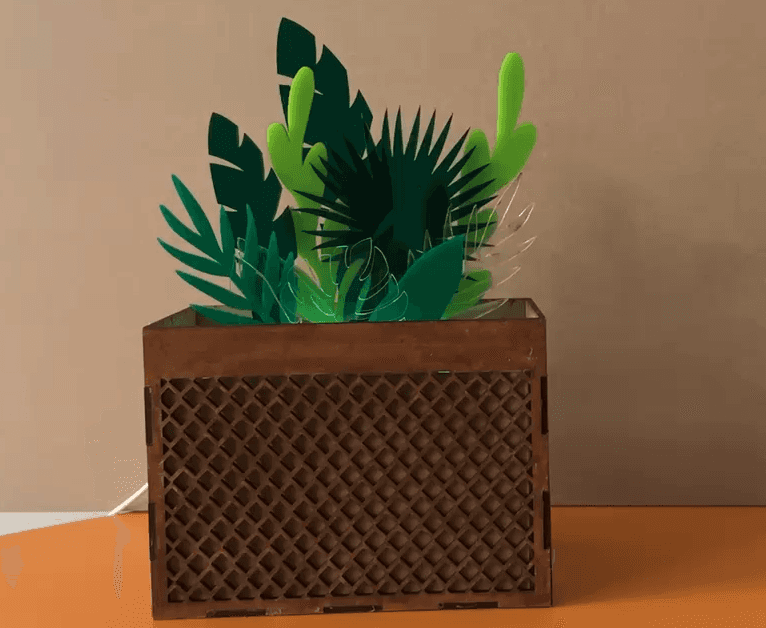
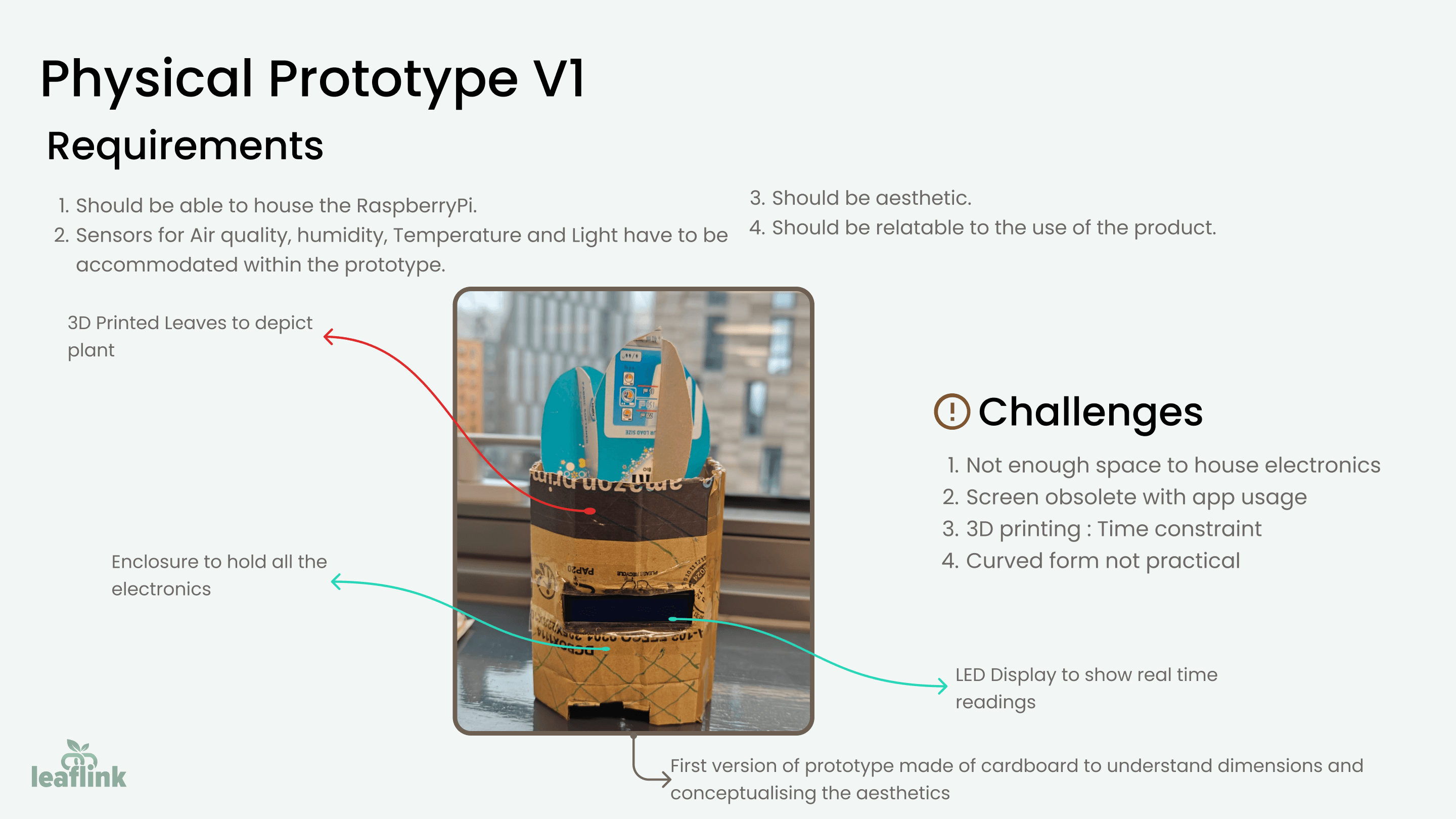
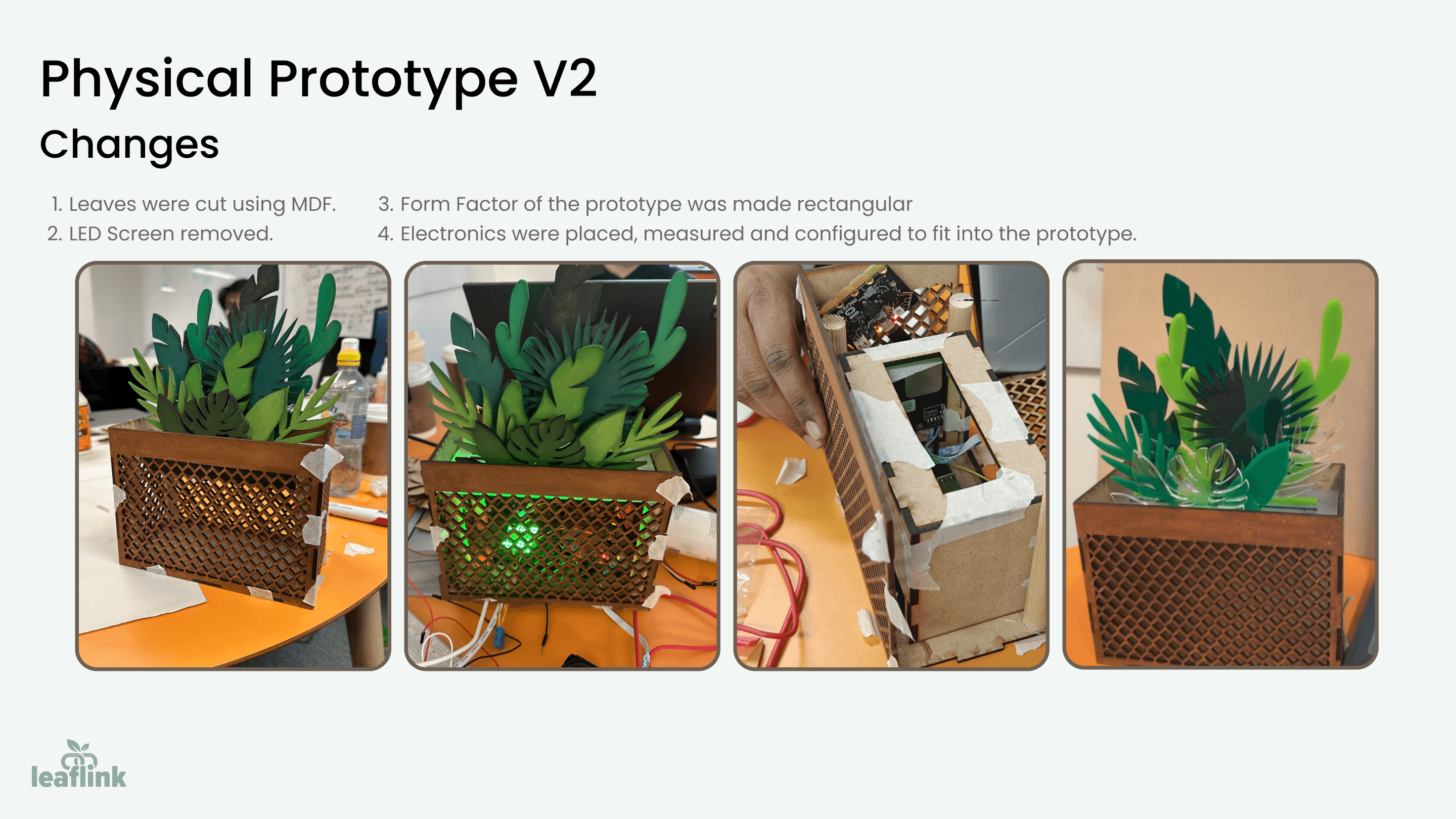
A data-driven selection device
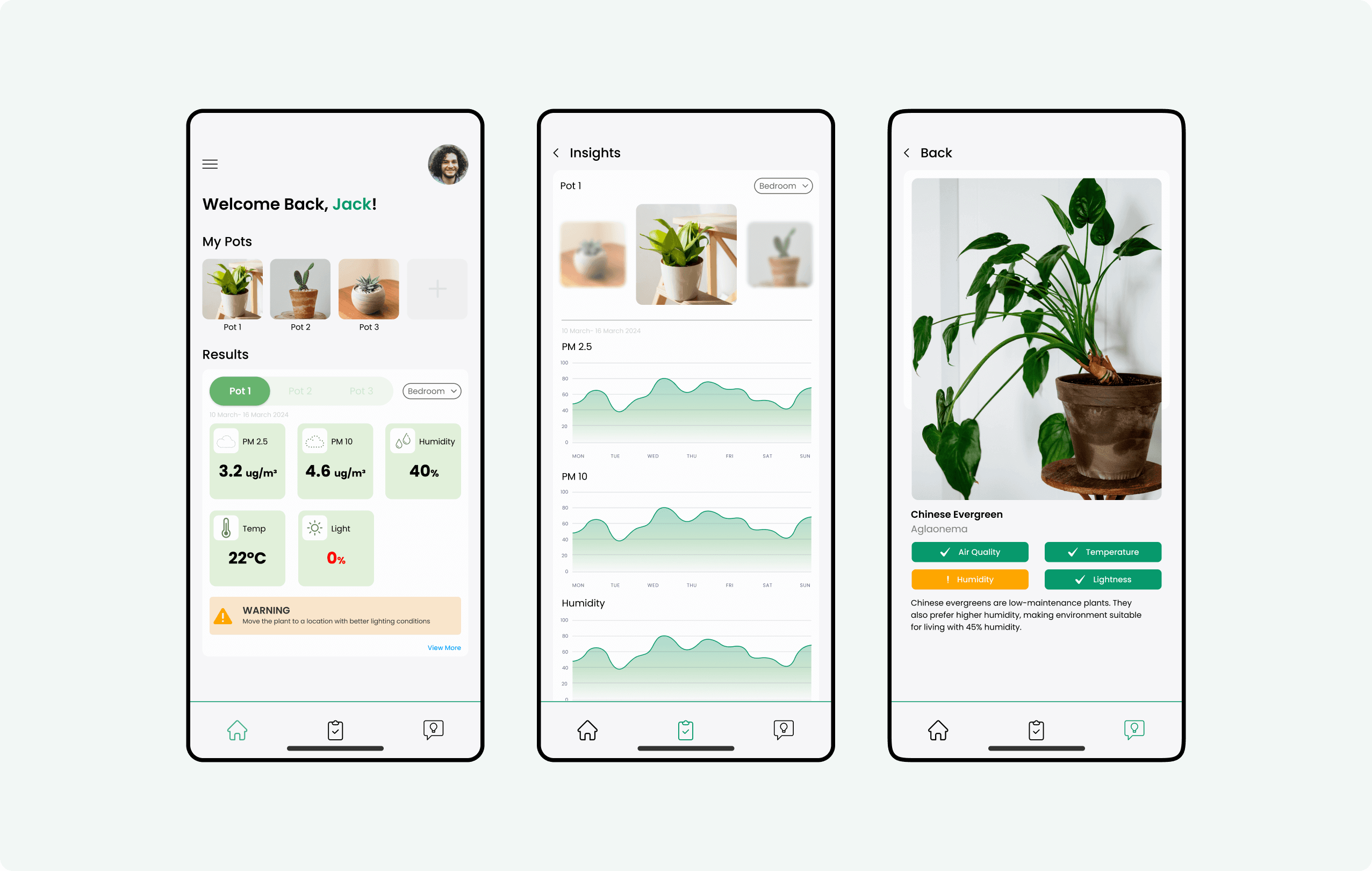
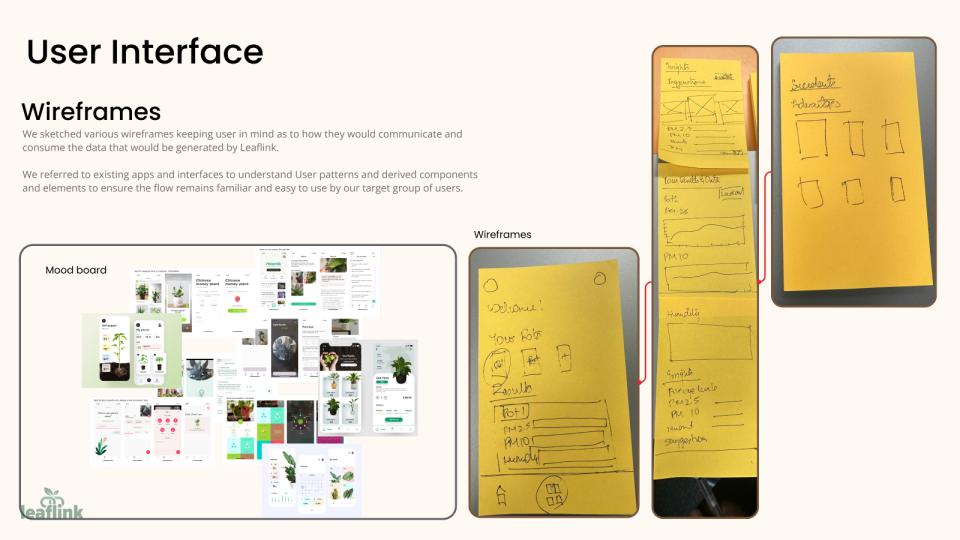
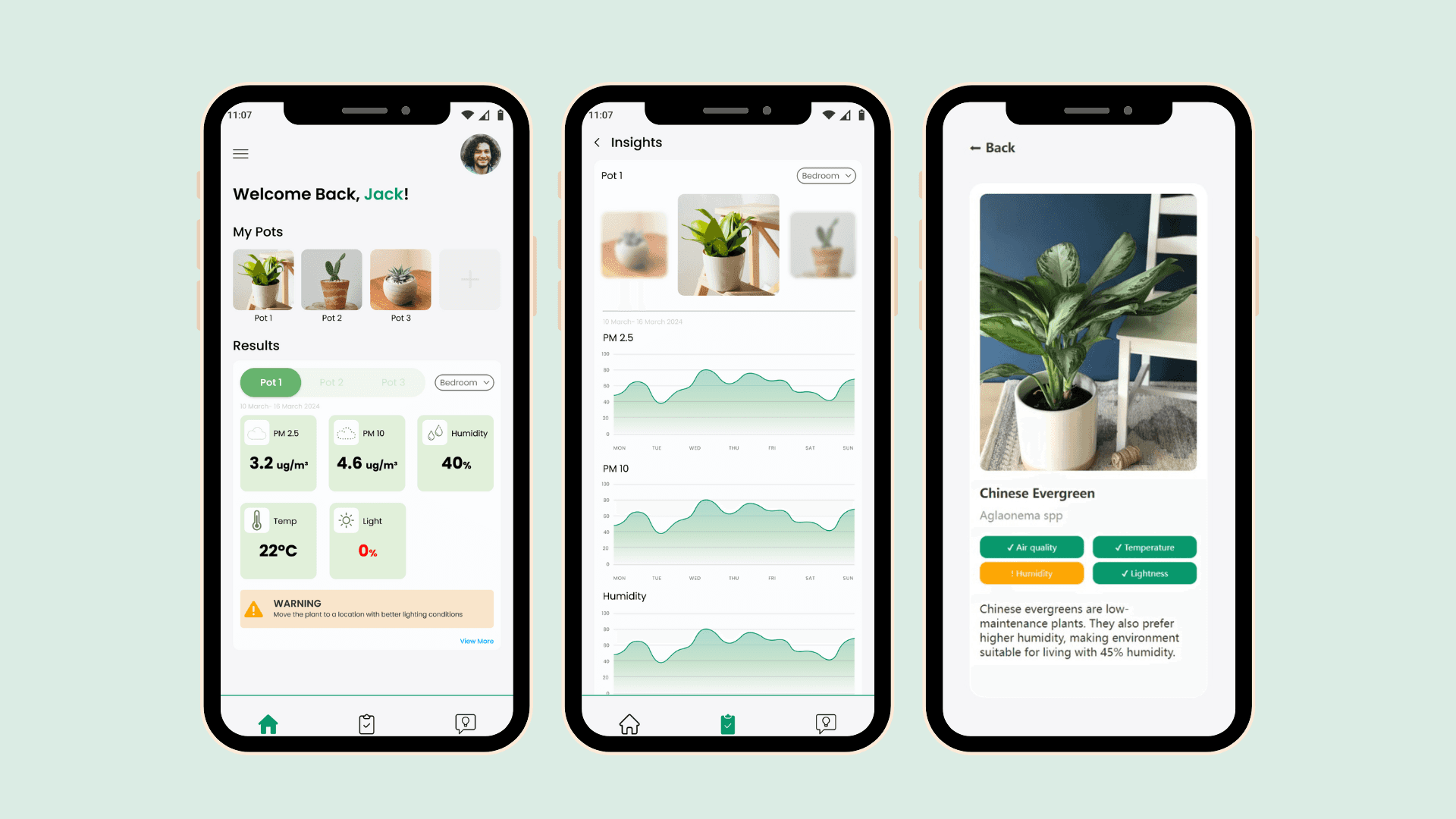
A friendly mobile app
Hardware and software, joined up
What the demo told us
- 85% felt more confident selecting and caring for houseplants after using LeafLink, and 65% wanted to expand their indoor gardens.
- 92% agreed the technology simplified their plant-care routine, and 78% were interested in similar smart devices for other parts of home management.
These figures come from the panellists and visitors present at the prototype demonstration, based on responses gathered on the day. It's encouraging signal from a real demo — not a controlled study — and I'd frame it that way to a stakeholder.
Where LeafLink could grow
With custom electronics, LeafLink could capture metrics more precisely and stand on its own as a product. A few directions stood out:
- Smart-home integration. Work with Alexa or Google Home, so people can check plant data or get care reminders by voice.
- AI plant-health monitoring. Use machine learning on leaf images to catch early signs of disease or pests.
- Community features. Let people share tips, show off their plants, and compete in friendly “greenest home” challenges.
What leading this taught me
Bridging the design–development gap
Some of our UI concepts simply weren't feasible to build, which forced late changes. I learned to involve developers from the start and design for what's technically possible — fewer last-minute reworks, better end results, and a smoother handoff.
Clear team communication
Gaps in communication caused problems sourcing the right components and inconsistencies in the designs. Regular check-ins and a shared project glossary pulled the team into alignment and kept execution tight.
Technical knowledge beyond UX
Uneven understanding of the backend led to designs that didn't match what the system could do. I pushed myself to learn the technical side, then shared those constraints with the team — fewer redesign cycles, more realistic designs.
Innovating within constraints
Limited components, thanks to procurement issues, taught me to be flexible and resourceful — finding good solutions inside real limits, which is closer to how design works outside the classroom than ideal conditions ever are.